

Gate remote is not working – what could be the cause?
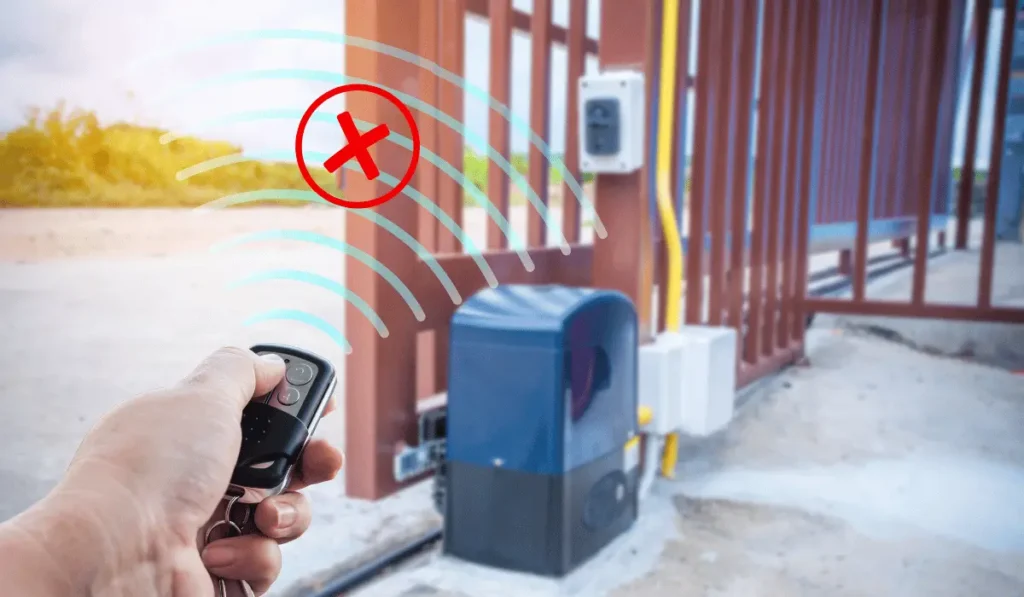
A gate remote is a convenient tool that allows you to quickly and easily open and close a gate. Unfortunately, sometimes a remote control stops working. In this case, it is worth knowing what the causes of the problem might be, so you can quickly and effectively eliminate them. Gate remote is not working – what could be the cause? Below we discuss the most common causes of problems with a gate remote and possible solutions.
Table of Contents
- Why the gate remote is not working?
- 1. Battery
- 2. Interferences
- 3. Remote is not programmed to the drive
- 4. Someone cleared the memory
- 5. Problems with the drive
- Gate remote is not working – what could be the cause?
Why the gate remote is not working?
1. Battery
The most common cause of problems with a gate remote is an exhausted battery. Before looking for more serious causes, it’s worth ruling out the ones that are easiest to solve.
Symptoms: the remote stops responding or only works from a very close distance.
Solution: replace the battery in the remote. Usually, you can do this yourself by opening the remote casing and replacing the old battery with a new one. It is important to use the correct type of battery, according to the manufacturer’s instructions.
2. Interferences
Interferences can be another cause of problems with the gate remote control. We may be dealing with terrain obstacles such as trees, buildings. But it can also be wireless interference. Devices such as WiFi routers or other controllers (e.g., neighbor’s drive) can effectively interfere with the signal of our gate remote.
Symptoms: the remote works intermittently or only in specific places.
Solution: move to another place or remove obstacles blocking the signal. In the case of wireless interference, you can try changing the operating frequency of other devices or moving them to a different place.
3. Remote is not programmed to the drive
The remote may not be properly programmed to work with the gate operator. Keep in mind that while factory remotes are mostly pre-programmed, when we buy additional ones we have to do it ourselves. Usually it is simple, intuitive and doesn’t require much time. If in doubt, it is worth using the user manual or instructional videos (if the manufacturer provides them).
Symptoms: the remote does not work from the moment of purchase or after replacing the drive.
Solution: check if the remote is correctly programmed to the drive. If necessary, reprogram the remote following the manufacturer’s instructions.
4. Someone cleared the memory
It is possible that the drive’s memory has been cleared, causing the remotes to not be recognized. Sometimes we happen to „fiddle” with the controller to e.g. adapt the operating parameters to the prevailing weather conditions. And sometimes, in the heat of the battle, remotes get accidentally deleted.
Symptoms: none of the remotes work, although they worked fine before.
Solution: check the drive settings and reprogram the remotes. It may be necessary to perform a full system reset and reload all remotes into the drive. And here again the manual will be useful.
5. Problems with the drive
The worst scenario is the one where the problem lies in the gate drive itself. Then you need to check several possible situations:
- Drive unlocked: the gate drive may be in manual mode (unlocked), which prevents control using the remote. The solution is to check if the drive is properly locked to automatic mode. Usually, this requires moving a lever or pressing the appropriate button on the drive.
- No power: lack of power in the gate drive will cause no remote to work. In this case it is easy to determine if this is indeed the case. Check if the drive is connected to a power source and if there is no power outage.
- Damaged radio: the radio receiver in the drive, which receives signals from the remote, may be damaged. Here you may need the help of a specialist who will check the condition of the radio receiver and decide what to do next (repair or replace).
- Obstacles on photocells: photocells may detect obstacles, preventing the gate from closing or opening. In this case, definitely check if the photocells are clean and not obstructed. Removing any obstacles in the field of view of the photocells should fix the matter.
Gate remote is not working – what could be the cause?
Problems with a gate remote can be frustrating, but fortunately, they are usually easy to solve. The most common causes are an exhausted battery, signal interference, incorrect remote programming, clearing the drive memory, or problems with the drive itself. Identifying the cause of the problem is the basis. Thanks to this, we can quickly restore the full functionality of the gate system. Remember to regularly check the condition of the remote and the drive and take care of their maintenance to avoid unnecessary problems at the least expected moment.